Every store on one screen, every decision with its number and reason
Rawaj brings Salla, Amazon, Trendyol and your other channels together, and shows where your margin leaks, which order is late and what needs your call today. No price, budget or ad changes before you approve.
Late orders surface before the customer complains
A product selling at a loss shows up with every cost line
A daily plan for your team with deadlines and proof of work
Google Business Profile (Maps)Awaiting platform approval
Google AdsAwaiting platform approval
Meta (Facebook & Instagram)Awaiting platform approval
TikTok for BusinessAwaiting platform approval
ZidBeta
ShopifyFiles only
WooCommerceFiles only
NoonFiles only
eXtraFiles only
“Ready to connect” means the connector is ready; the connection itself starts once you authorise your account. “Files only” means structured import and export, without a direct connection.
What you'll see in the first week
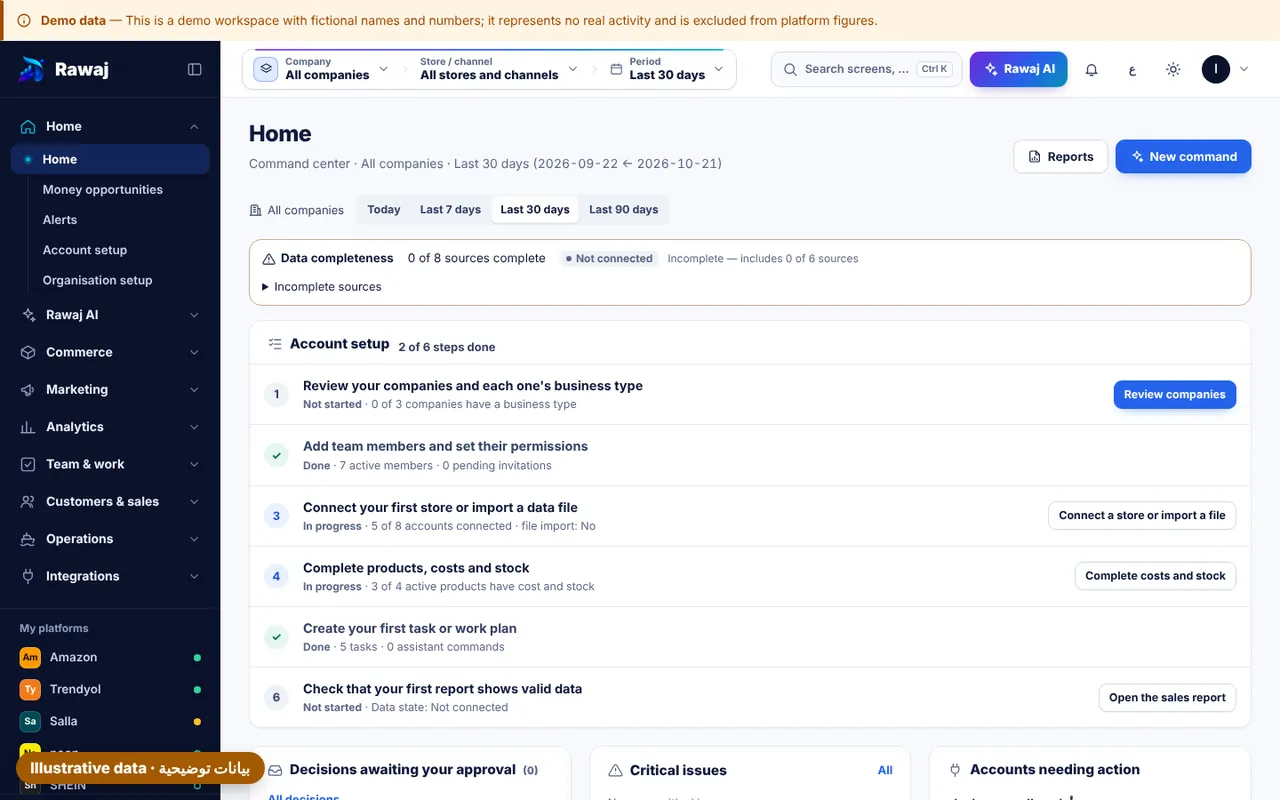
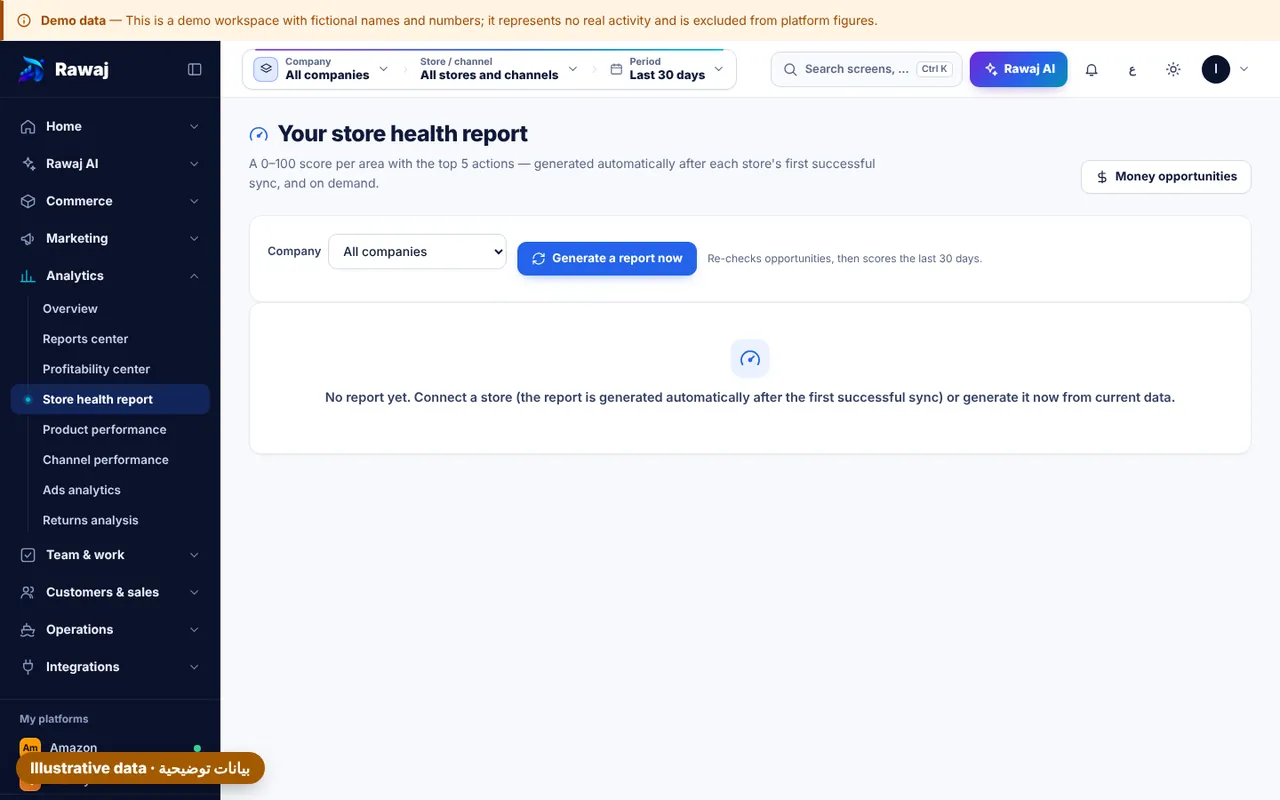
Five screens that answer the questions that eat your day. Screens are from the app itself, on illustrative data.
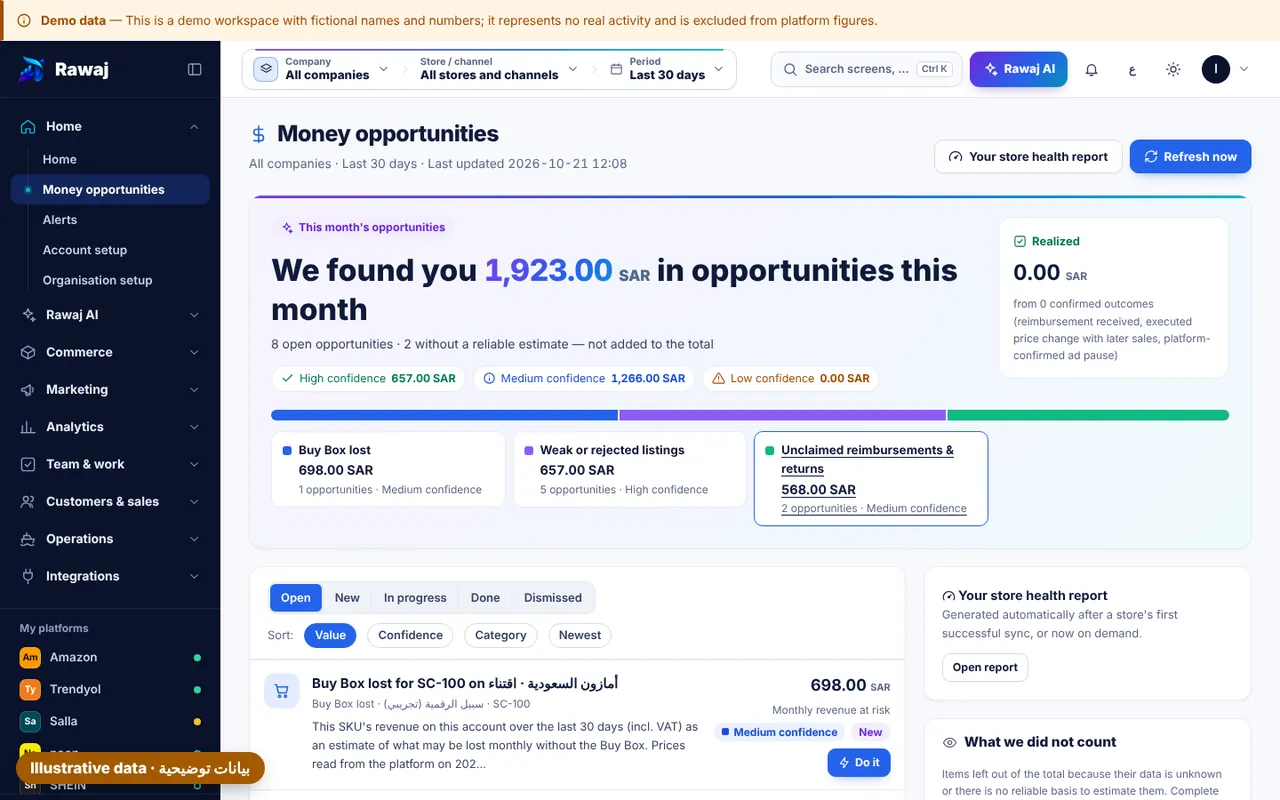
Money finder
Where is your margin leaking?
A list ranked by the estimated amount of each opportunity, with its source: products selling below cost, unclaimed reimbursements, ads spending on losing products, and slow stock.
Every amount shows how it was calculated and where the data came from
Unknown costs stay unknown, never zero
Each opportunity becomes a task with an owner and a deadline
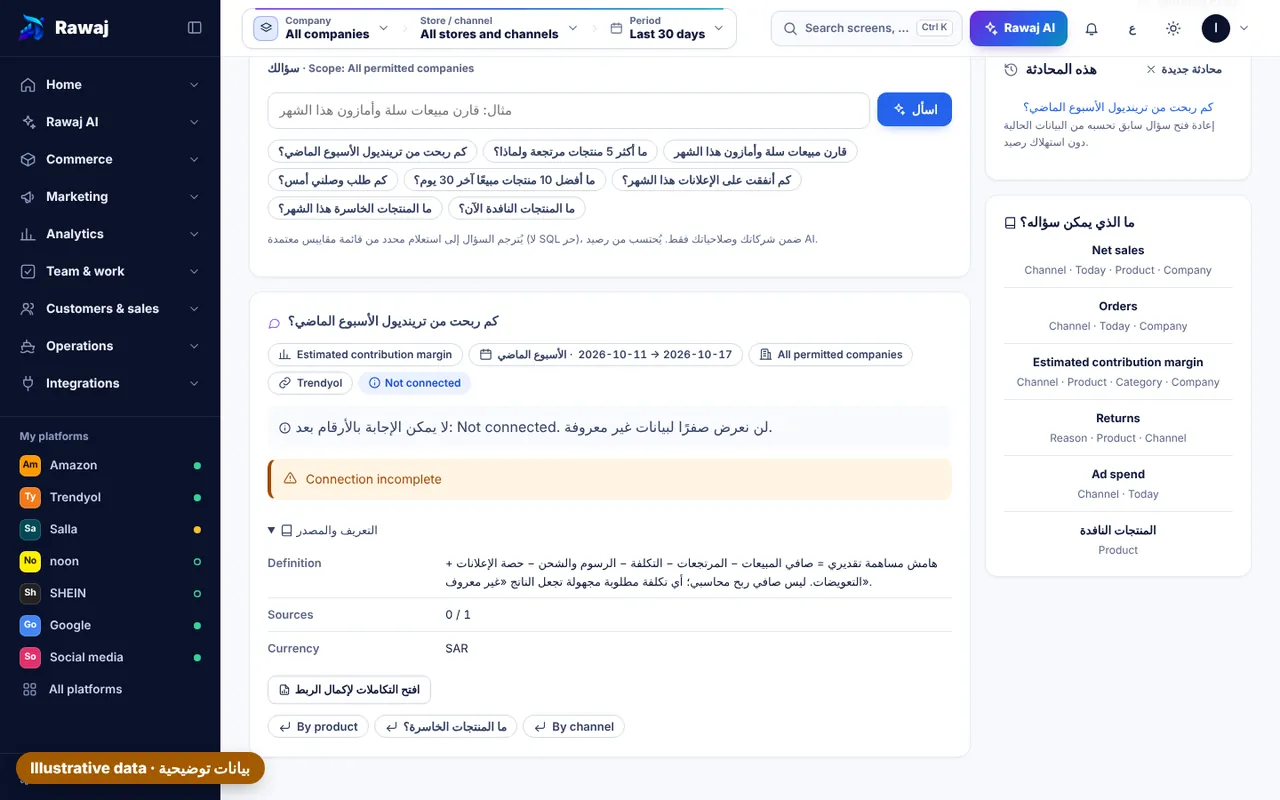
Ask in plain words, get the number with its source
“How many scooters did we sell on Trendyol this month?” Rawaj answers from your connected data, names the period and the source, and says “I don't know” when the data isn't there instead of inventing a number.
Answers from your company's data only, within your permissions
Every number comes with its period and source
Commands become a plan you review before anything runs
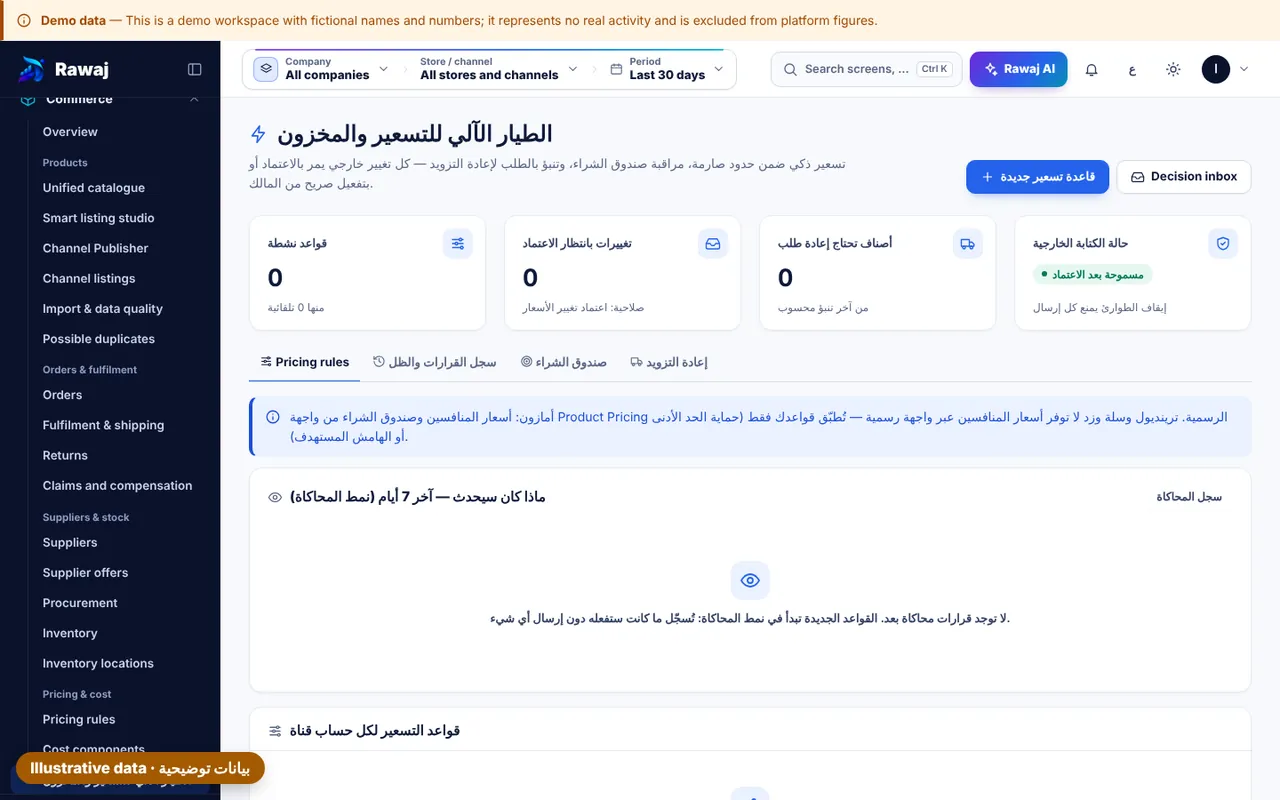
Rules that run on their own, inside limits you set
Rules and agents watch margin, stock and deadlines around the clock and prepare the action. Anything sensitive waits for your approval, and the kill switch stops every external write instantly.
Each agent has a clear job, permissions and run status
Prices, budgets and publishing only after approval
Every execution lands in a tamper-evident audit log
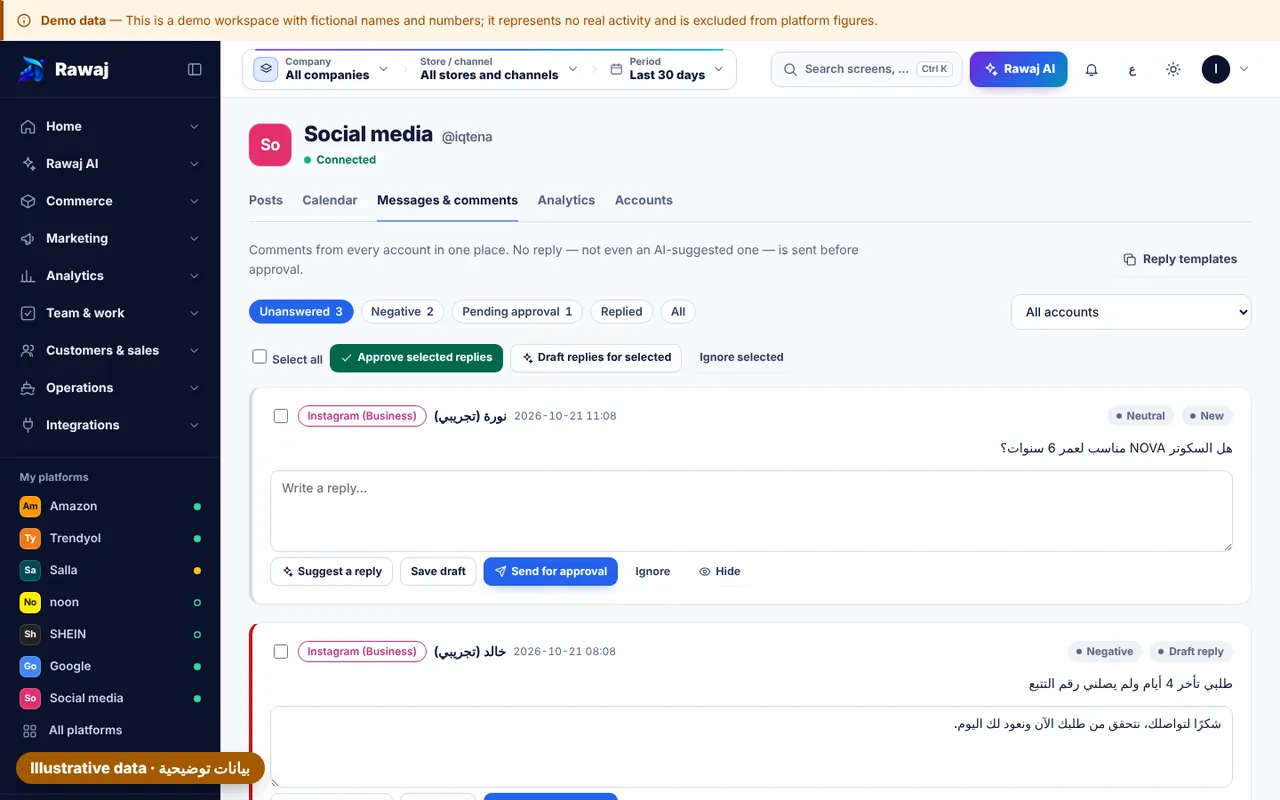
Rawaj Conversations: every customer channel, and an AI assistant that actually knows their orders
WhatsApp, Instagram, Messenger, Telegram and e-mail in one inbox. The assistant answers from real order, shipping and stock data and hands the conversation to your team when needed. Journeys and campaigns run only after you approve them, and respect customer consent and sending limits.
Unified inbox and teams
Every conversation with the customer's history, orders and team notes, routed to teams, with an automatic summary per session.
AI assistants with published versions
Identity, guidelines, topics, knowledge and actions: edit the draft, test it, then publish. The assistant never promises outside your policy.
Smart journeys
Abandoned carts, review requests after delivery, win-back of lapsed customers, private replies to comments — from ready templates or a description you write.
Responsible WhatsApp campaigns
Audiences by purchases, tags and fields, scheduling, and delivery, read, reply and attributed-order rates. Opted-out customers are never messaged.
Rawaj assistant
Ask for a report, a draft journey or a campaign in one sentence; it prepares it for you to review and approve, and never acts alone.
Customer-service reports
First response time per agent, open vs closed, assistant resolution rate and handoffs, by channel and topic.
Channels that need platform approval (such as TikTok messages) show their real status until approved.
Estimate the time you get back
Enter your store's numbers. The calculator only estimates the value of time and assumes no extra sales.
Rawaj versus spreadsheets and manual work
Compared with the way you work today, not with another product.
Task
Spreadsheets and manual work
With Rawaj
Prices and stock on every platform
Copied by hand between each platform's dashboard
One catalogue; a change is proposed, approved, then published where the platform allows
Late orders
Usually found through a customer complaint
An alert and a task with an owner and deadline, plus a device notification if you enable it
Real profit
Revenue minus a rough cost
Estimated contribution margin net of fees, shipping and returns, with unknowns flagged
Returns and reimbursements
Separate files per platform
One record, with claim status taken from the platform's own report
Who changed what, and when
Usually no trace
An audit entry for every change, with before and after
Following up the team
Messages and personal chasing
Tasks with a deadline, acceptance criteria and proof of work
Asking for a number
Waits for someone to compile it
Ask in plain words and get it with its period and source
Security and trust
The executive assistant is built to take detail off your plate without taking your authority. Every action follows the same path: plan, simulate, policy check, approve, execute, verify, report.
Rawaj is a cloud platform that brings your product data, sales channels, ads, orders, profitability and team into one place. An AI executive assistant sits on top: it drafts the day's plan, and you make the call.
Does Rawaj connect directly to my stores and ad accounts?
Yes, through each platform's official APIs, and only after you authorise the account yourself. What is possible varies by platform, country and account eligibility; where no direct connection exists we offer structured Excel/CSV import and export. The integrations page shows each status.
Will the AI change my prices or ad budgets on its own?
No. Price changes, listing publication, new campaigns, budget increases and bulk messages all pass a human approval gate, and every execution is written to the audit log. A kill switch stops all external writes instantly.
How does Rawaj calculate profit?
We show an estimated contribution margin per product and channel: selling price minus supplier cost, fees, shipping, packaging, expected returns and attributed ad spend. Any unknown cost is flagged, never treated as zero, and nothing is labelled profitable until its data is complete.
Why isn't ROAS treated as profit?
ROAS compares attributed revenue with spend and ignores cost, fees and returns. Google, Meta and TikTok can also each claim the same order, so we de-duplicate and reconcile attributed revenue against real orders.
I own several companies. Can I run them from one account?
Yes. One owner can run several legal entities from a single account, with data, permissions and reports kept separate per company. Staff only see another company's data if you explicitly grant it.
Do you need my Amazon or Salla passwords?
Never. Connections use official authorisation (OAuth or partner keys). Tokens are stored encrypted and never appear in logs or AI prompts.
How long is the free trial?
14 days from the moment you create your account. Set up your companies, import products and try the daily plan; we'll help you pick a plan before it ends.
Do prices include VAT?
Published prices exclude 15% VAT, and each one is shown with its VAT-inclusive amount next to it. For a plan without a published price, we send written pricing based on your companies, channels and usage.
Are the savings calculator's numbers a promise?
No. The calculator estimates the value of time from what you enter and from the assumptions printed next to it, and it counts no extra sales. Actual results depend on your channels, your data and how your team works.
Is there a mobile app?
Rawaj is a web app you can install on your phone or desktop straight from the browser, and you can turn on device notifications for decisions awaiting your approval and late orders.
Does Rawaj replace my accounting system?
No. Rawaj is an operations and growth platform, not an accounting system. It can connect to your accounting software or import its data to support profit reporting.
Request a demo
Tell us about your companies and channels. We'll walk you through Rawaj on a scenario close to your day, then send a written proposal.
A live walkthrough of about 30 minutes
An initial check of your channels and their eligibility